
This page is a reference for the exact build you are playing, not for the mobile app. We counted the level carousel, opened every card, and recorded what the in-level pause menu actually controls, because the widely-copied numbers online disagree with each other — one popular Geometry Dash Lite page states 19 levels in its prose and 13 in its own comparison table on the same screen.
Key facts at a glance
Written for anyone playing Geometry Dash Lite in a browser, whether this is your first attempt at Stereo Madness or you are grinding a Demon-tier level and want to know which settings are working against you.
- Levels in this build: 15 playable, from Stereo Madness to Electrodynamix, plus a locked "Coming Soon!" card in the sixteenth carousel slot
- Controls:
Spacebar,Up Arrowor left click to jump on desktop; tap anywhere on mobile. Hold to jump again the instant you land - Jump height is fixed in cube mode: holding longer does not jump higher, it only queues the next jump
- Cost: free, no download, no account, no ads on this build
- Practice Mode: adds checkpoints and tracks its own percentage, but does not complete a level and does not bank secret coins
- The one setting to change: switch Auto-Checkpoints off in the pause menu before a serious grind
- Made by: Robert Topala of RobTop Games; Lite released 12 September 2013
- What we measured: every level card, the pause-menu controls, and two recorded runs, all on 18 August 2026 in the build embedded above
How to play Geometry Dash Lite
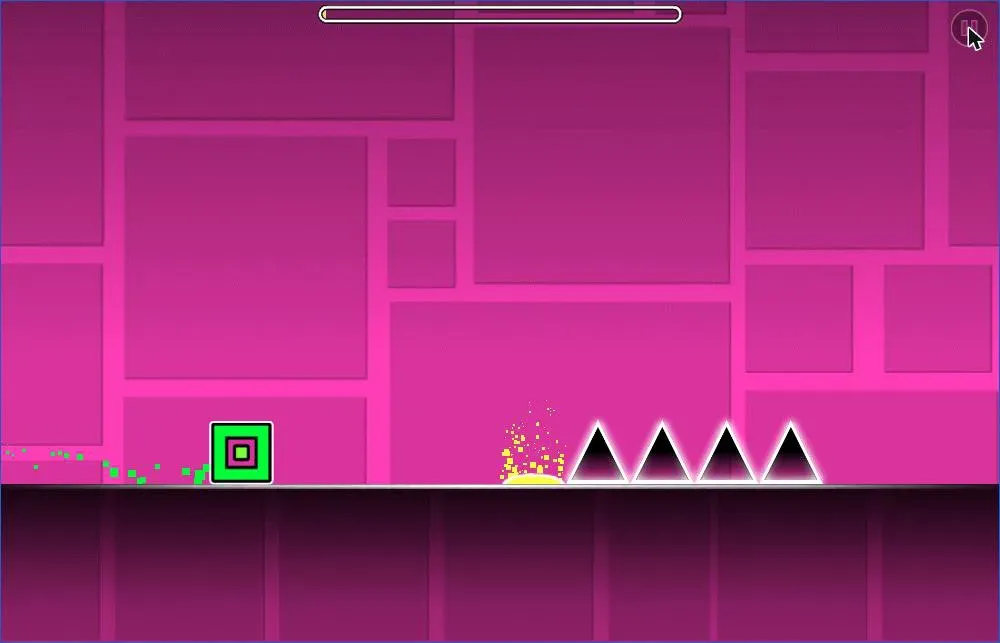
Your icon runs to the right at a fixed speed. You control exactly one thing, when it leaves the ground, and everything else is timing.
Desktop controls
- Jump:
Spacebar,Up Arrow, or left mouse click - Hold the jump key to keep jumping the instant you land, which is how chained-jump sections are meant to be played
- Pause: the button in the top-right corner of the game
Mobile and tablet controls
- Jump: tap anywhere on the game area
- Hold your finger down for continuous jumps on landing
- The touch layout is the whole screen, so there is no on-screen button to miss
Jump height is fixed in cube mode. Holding the key longer does not jump higher. It only queues the next jump for the moment you touch the ground again. That single detail resolves most beginner frustration, because a lot of guides tell players to "hold longer to jump further," which is not how the cube behaves.
Every level in Geometry Dash Lite, in order
We opened the level carousel in the embedded build on August 18, 2026 and stepped through all of it. The carousel holds 16 positions: 15 playable levels plus one locked "Coming Soon!" card at the end, after which it wraps back to the first level. Each card shows a difficulty face, a star value, three secret-coin slots, and separate Normal Mode and Practice Mode completion percentages.
| # | Level | Stars shown | Difficulty face |
|---|---|---|---|
| 1 | Stereo Madness | 1 | Easy (blue smile) |
| 2 | Back On Track | 2 | Easy (blue smile) |
| 3 | Polargeist | 3 | Normal (green smile) |
| 4 | Dry Out | 4 | Normal (green smile) |
| 5 | Base After Base | 5 | Hard (orange, worried) |
| 6 | Cant Let Go | 6 | Hard (orange, worried) |
| 7 | Jumper | 7 | Harder (red, angry) |
| 8 | Time Machine | 8 | Harder (red, angry) |
| 9 | Cycles | 9 | Harder (red, angry) |
| 10 | xStep | 10 | Insane (magenta, angry) |
| 11 | Clutterfunk | 11 | Insane (magenta, angry) |
| 12 | Theory of Everything | 12 | Insane (magenta, angry) |
| 13 | Electroman Adventures | 13 | Insane (magenta, angry) |
| 14 | Clubstep | 14 | Demon (purple, horned) |
| 15 | Electrodynamix | 15 | Demon (purple, horned) |
| 16 | Coming Soon! | — | Locked placeholder |
Two things are worth noticing in that table. The star value on each card runs cleanly from 1 to 15 in level order in this build, so the carousel position and the star rating are the same number, which is handy: it means you can judge relative difficulty at a glance without memorizing anything. And the level name really is printed "Cant Let Go", without the apostrophe, which is how it appears in the game rather than a typo here.
To be clear about what that table is and is not: these are the values this build displays, read off the cards on 18 August 2026 on a desktop browser. We are not claiming they match the paid Geometry Dash's official star ratings, and we did not test the mobile app — if the build you are playing elsewhere shows different numbers, it is a different build, which is exactly the point of the next section.
The difficulty tiers are the standard Geometry Dash faces. Levels 1–2 are Easy, 3–4 Normal, 5–6 Hard, 7–9 Harder, 10–13 Insane, and 14–15 Demon. If you want the gentlest possible on-ramp, play them in order; the game's own progression is already sorted easiest to hardest.
Which build are you playing?
This matters more than most pages admit, and it is the source of nearly every "wrong" level count online.
Geometry Dash Lite is not one fixed thing. The mobile app on iOS and Android has been updated repeatedly and now carries a longer level list than the browser builds that circulate on the web. The build embedded on this page ends at Electrodynamix (level 15) with a "Coming Soon!" placeholder in slot 16. If you are looking for Fingerdash, Hexagon Force, Blast Processing or Theory of Everything 2, they are not in this build — those are later additions on the app side, which is exactly why "geometry dash lite levels 1 21" is a query people type.
So when a page tells you Geometry Dash Lite has 13, 19 or 21 levels, none of those numbers are simply invented. They are snapshots of different builds at different times, presented without saying which. The honest answer is: it depends on the build, and this one has 15 playable levels, verified by opening every card.
What the pause menu controls
Press the pause button mid-run and you get a panel that most guides never show, even though it holds the settings that change how the game feels.
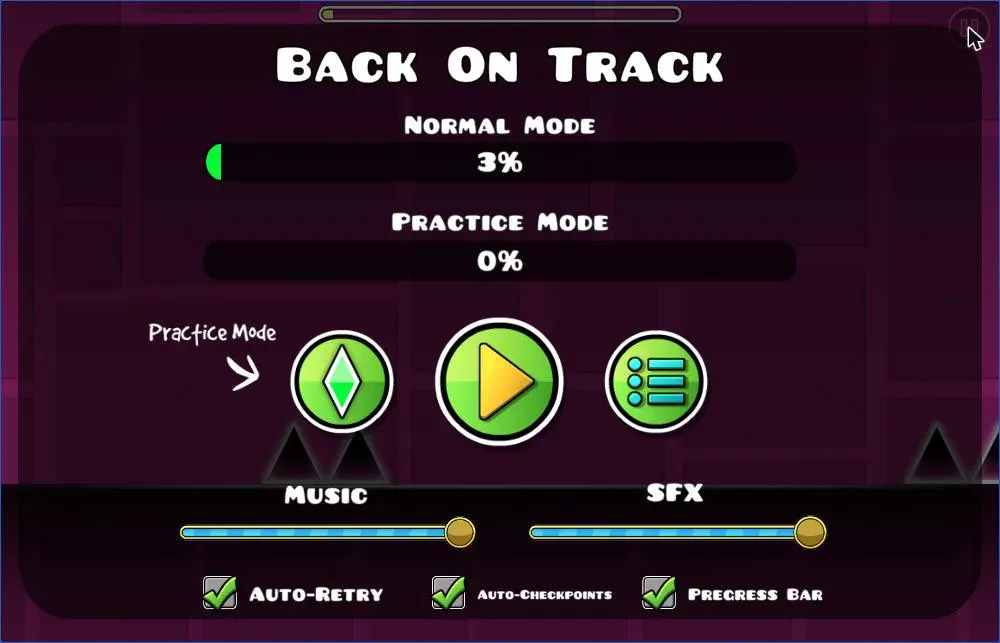
From that panel you get:
- Practice Mode: the green diamond on the left, which restarts the level in checkpoint mode
- Resume and level list: the play button and the list button beside it
- Music and SFX volume: two independent sliders, so you can mute the soundtrack while keeping the death and coin sounds, or the reverse
- Auto-Retry: restarts the level instantly on death, on by default
- Auto-Checkpoints: places Practice Mode checkpoints automatically, on by default
- Progress Bar: the percentage bar across the top, on by default
The two sliders being separate is genuinely useful and easy to miss. If the music is distracting you on a level you are grinding, drop the Music slider and leave SFX up. You keep the audio cue that tells you a jump landed, without the track.
Practice Mode, and how to use it properly
Practice Mode replaces the checkpoint-free run with a green-diamond checkpoint system. Die, and you respawn at the last checkpoint instead of at 0%. Your Practice Mode percentage is tracked separately from your Normal Mode percentage on the level card, and finishing a level in Practice Mode does not complete it — it is a training tool, not a shortcut.
The one adjustment worth making: turn Auto-Checkpoints off. With it on, the game drops checkpoints on a timer, which regularly places one mid-air or two frames before the obstacle that just killed you, so you respawn straight into the same death. With it off, you place checkpoints yourself right before the section you are learning, and every retry starts somewhere survivable.
On desktop you can place and remove checkpoints with the keyboard in the builds that expose it; otherwise the on-screen controls in Practice Mode handle it. Either way the workflow is the same: park a checkpoint just before the hard part, fail it twenty times in a row cheaply, then go back to Normal Mode and run it clean.
Game modes: cube, ship, ball, UFO, wave and robot
Colored portals mid-level swap your icon into a different form, and each one rewrites what the jump button does. This is where players who have the cube figured out suddenly start dying again.
- Cube: tap to jump. Fixed jump height. The default form.
- Ship: hold to rise, release to fall. You are flying, not jumping, and the input is continuous rather than discrete. Tap-tap-tap in small bursts instead of holding.
- Ball: tap to flip gravity between floor and ceiling. No jump at all.
- UFO: each tap gives a small upward hop, and the hops stack. Closest thing to Flappy Bird in the game.
- Wave: hold to travel diagonally up, release to travel diagonally down. No gravity, no momentum, instant direction change. The most punishing form in tight corridors.
- Robot: a variable-height jump: how long you hold decides how high you go. The one form where holding longer genuinely matters.
Watch the portal color before you reach it rather than after you pass through it. The half-second of warning is the difference between adapting and crashing, and every portal is telegraphed.
Secret coins
Every level card has three coin slots, shown as gray circles that fill in as you collect them. The coins sit off the obvious route: behind a jump you would not normally take, above a ceiling you would normally hug, or down a path that looks like a dead end.
Collect them in Normal Mode; coins picked up in Practice Mode do not count. And do not chase them on your first clear. Finishing the level teaches you the layout, and the layout is what makes the coin routes readable. Going for coins on a level you cannot yet complete usually means learning two hard things at once.
Geometry Dash Lite vs Geometry Dash
Both games are made by Robert Topala under RobTop Games. The paid Geometry Dash launched on iOS and Android on 13 August 2013 and reached Steam in December 2014; the free Lite edition followed on 12 September 2013. That September date is worth pinning down, because several pages report Lite as an August 2013 release — that is the paid game's date, not Lite's.
| Geometry Dash Lite | Geometry Dash (paid) | |
|---|---|---|
| Price | Free | Paid |
| Levels | 15 playable in this browser build | 26 developer-made levels |
| Level editor | No | Yes |
| Community levels | No | Yes, millions of them |
| Practice Mode | Yes | Yes |
| Icon customization | Limited | Full |
| Plays in a browser here | Yes | No |
The paid game's 26 developer-made levels break down as 22 auto-scrolling levels and 4 platformer levels, the platformer mode having arrived with update 2.2 on 19 December 2023.
The honest summary: Lite gives you the complete core mechanic and a serious difficulty curve for free. What you are missing is the level editor and the community catalog, and for most people the community catalog is the reason to buy the full game, because it turns a 26-level game into an effectively unlimited one.
The Geometry Dash series
Beyond the two main entries, RobTop released three free standalone spin-offs: Geometry Dash Meltdown, Geometry Dash World and Geometry Dash SubZero — each with its own short set of levels and its own soundtrack, built on the same engine. They are worth knowing about mainly because searches for them are constant and people assume they are DLC. They are separate free games, not expansions.
The franchise has been enormous by any measure: by September 2018 the mobile version had recorded 242 million downloads, from a game one Swedish developer started in 2013.
Tips that actually move your percentage
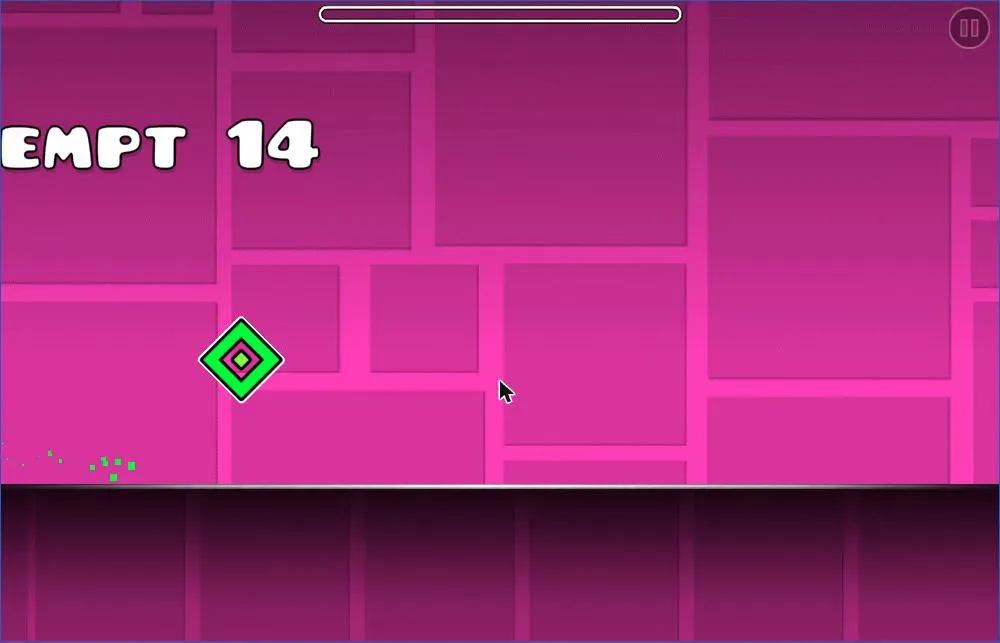
We ran the embedded build on August 18, 2026 to check these against reality rather than repeating them from other pages. The first run of Stereo Madness ended at 2%, on the first spike cluster, which is roughly where everyone's first run ends. Back On Track then took 14 attempts to move from 0% to 3% — three percent, after fourteen tries. That number is worth stating plainly rather than softening, because "you will die a lot early, and the early deaths are not a sign you are bad at it" is the single most accurate thing anyone can tell a new player. The percentage climbs in small increments and then jumps once a section stops being a surprise.
- Play with sound on. The obstacles are placed on the beat. Muted, you are reading geometry; with audio, you are following a rhythm, and the rhythm is easier.
- Learn the section, not the level. Nobody clears these by reacting. You are memorizing a sequence, and Practice Mode is how you memorize it in pieces.
- Turn Auto-Checkpoints off before a serious grind, for the reason described above.
- Watch the attempt counter, not the percentage. It goes up every run whether or not you improved, which is a better measure of the work you are actually putting in.
- Take the portal warning. Identify the form change before you arrive, so your hands are already in the right mode.
- Stop after a bad streak. Ten consecutive deaths at the same spot usually means your timing has drifted, and a two-minute break resets it faster than attempt eleven will.
- Clear first, collect second. Coins after completion, always.
Troubleshooting
If the game feels laggy. The build here is a Unity WebGL game, which means it runs on your machine's GPU through the browser rather than as a native app. Unity's own documentation notes that WebGL builds are not supported on mobile devices and depend heavily on the browser, so performance varies more than it would in an installed game. Closing other tabs, disabling heavy extensions, and using a Chromium-based browser all help; on older hardware, a full-screen window is usually smoother than a small one.
If there is no music. Check the Music slider in the pause menu first. It is independent of the SFX slider, so the game can be making sound effects while the soundtrack is at zero. After that, check that the browser tab is not muted. Browsers deliberately block audio on a tab you have not touched: as MDN puts it, playback of media with audio "is generally blocked if the playback is programmatically initiated in a tab which has not yet had any user interaction".
If the game will not start. Click once directly on the game area. That single click is what satisfies the browser's user-interaction requirement described above, and a WebGL canvas generally needs focus before it will read your keyboard at all.
About ads. The mobile app version of Geometry Dash Lite is ad-supported, which is how the free edition is funded, and it is why "why does geometry dash lite have ads" is a common search. The build on this page runs without them.
Start with Stereo Madness
Press play on the game above, take Stereo Madness first, and expect the first spike cluster to end your first few runs. Ours ended at 2%. Work down the list in order, because the game is already sorted from easiest to hardest, and switch to Practice Mode with Auto-Checkpoints off the moment a level starts costing you more than a dozen attempts.
When you want something different between grinding sessions, the full library of free browser games is one click away, and the game wiki covers the rest of the catalog.